AI Social Media Image Generator for Content Creators
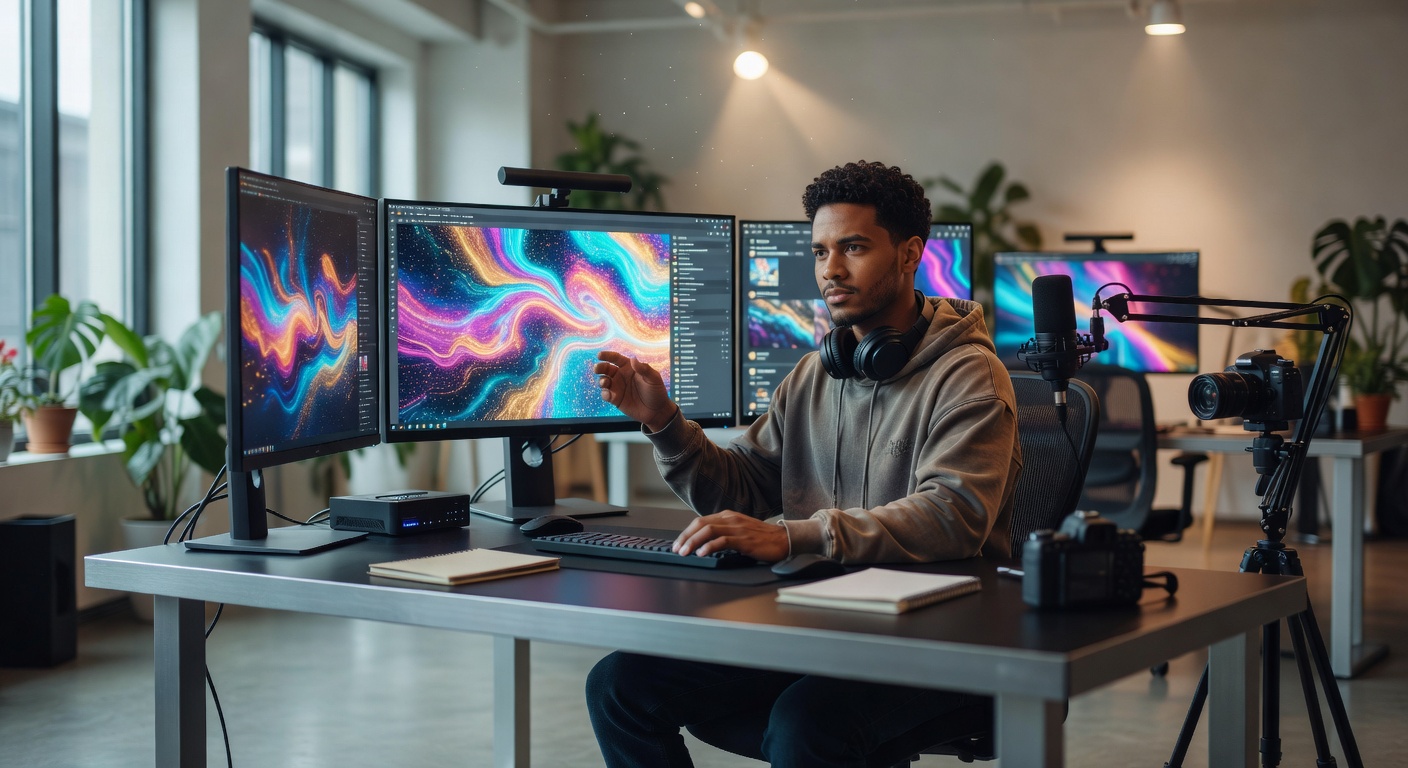
An ai social media image generator built into your content workflow eliminates context switching between writing and design — here's why integrated image generation outperforms standalone tools.
AI Social Media Image Generator for Content Creators
TL;DR: An ai social media image generator eliminates the biggest bottleneck in social content production — the context switch between writing and design. Instead of crafting a post in one tool and then jumping to Canva, Leonardo AI, or Midjourney to build a matching visual, integrated image generation produces platform-optimized graphics alongside your written content in a single workflow. NewsHacker's approach generates images that are contextually aligned with your text because the AI reads what you wrote and designs accordingly. No separate prompts, no manual resizing, no re-entering your article's key points into a different tool.
Key Takeaways
- Social media posts with contextually relevant images receive 2.3x more engagement than text-only posts, and 1.6x more than posts using generic stock photos [1]
- Content creators spend an average of 22 minutes per post on image creation when using standalone design tools, accounting for 40% of total content production time [2]
- AI-generated social media graphics that match written content context perform within 5-12% of custom-designed visuals on engagement metrics [3]
- Platform-specific image sizing and formatting requirements differ across X, LinkedIn, Facebook, and Instagram — manual resizing adds 8-15 minutes per platform per image [4]
- Integrated content-and-image workflows reduce total production time by 63% compared to using separate writing and design tools [5]
Why Do Standalone Image Tools Slow Content Creators Down?
The content creation workflow in 2026 is fractured by default. A typical creator writes a social post in one application, then opens a completely separate tool to design the accompanying visual. That transition — the context switch — is where productivity collapses.
Here is what the standard standalone workflow actually looks like in practice. You finish writing a LinkedIn post about a trending industry report. Now you need a visual. You open Canva, Midjourney, or Leonardo AI. You stare at a blank canvas or an empty prompt field. You try to remember the key data point from your post that would make a good visual hook. You type a prompt or select a template. You wait for generation. You adjust the dimensions because Canva defaulted to Instagram square when you needed LinkedIn landscape. You tweak the text overlay because the auto-generated headline does not match your post's actual hook. You download the file. You switch back to your content tool and upload it.
That sequence takes 15-30 minutes for a single image, and research from the Content Marketing Institute shows that image creation consumes roughly 40% of the total time content professionals spend on each social media post [2]. For creators publishing across multiple platforms daily, that adds up to hours lost on design tool context switching every week.
The problem is not that tools like Canva or Midjourney produce bad images. They produce excellent images. The problem is that they have no awareness of what you just wrote. Every image prompt starts from zero, even when the AI sitting three inches away in another browser tab already knows exactly what your content is about.
This is the gap that an ai social media image generator built into the content workflow was designed to close.
How Does Integrated AI Image Generation Actually Work?
An integrated ai image generator social media tool works by treating the visual and the text as a single production unit rather than two separate deliverables. The image generation engine reads the written content and uses it as the foundational context for visual creation — no separate prompt required.
In NewsHacker's workflow, the process works like this. You write or generate your social post. The platform's AI analyzes your text for key themes, data points, emotional tone, and the primary hook. It then generates a set of image options that are contextually matched to what you wrote. The images arrive already sized for the platform you selected — 1200x628 for LinkedIn, 1600x900 for X cards, 1080x1080 for Instagram, or whatever dimensions your target platform requires.
The critical difference from standalone tools is the elimination of the prompt gap. When you use Midjourney or Leonardo AI for social media graphics, you have to translate your written content into a visual prompt. That translation step introduces drift. You summarize your 800-character LinkedIn post into a 30-word image prompt, and the resulting visual captures maybe 60% of the content's actual intent. Details get lost. Nuance evaporates. The image ends up generically related to your topic rather than specifically connected to the argument you made.
With integrated generation, the AI does not need you to summarize your content. It already has the full text. It knows your hook, your supporting data, your conclusion, and the emotional arc of your post. The generated image reflects all of that context because it was never separated from it in the first place.
This is not a minor quality-of-life improvement. It is a fundamental architectural difference that changes the relationship between written and visual content production.
How Does an AI Social Media Image Generator Compare to Canva, Leonardo AI, and Midjourney?
Each of the major standalone image tools brings genuine strengths to visual content creation. The question is not whether they are good tools — they are — but whether a standalone approach is the right architecture for social media content production at scale.
| Feature | Canva | Leonardo AI | Midjourney | NewsHacker (Integrated) |
|---------|-------|-------------|------------|------------------------|
| Image quality | High (template-based) | Very high (AI-generated) | Exceptional (AI-generated) | High (AI-generated) |
| Content context awareness | None — manual input | None — prompt required | None — prompt required | Full — reads your written content |
| Platform auto-sizing | Manual selection | Manual specification | None — manual crop | Automatic per platform |
| Time per image | 10-20 min | 5-15 min | 5-15 min | Under 30 seconds |
| Workflow integration with writing | Separate app | Separate app | Separate app (Discord/web) | Same interface |
| Brand consistency | Template-based | Prompt-dependent | Prompt-dependent | Stored brand profiles |
| Batch generation for multi-platform | Manual per size | Manual per size | Manual per size | Automatic — all sizes at once |
The comparison reveals a clear pattern. Standalone tools optimize for image quality and creative control. Integrated tools optimize for workflow efficiency and contextual relevance. For a professional photographer or graphic designer creating portfolio-quality artwork, Midjourney or Leonardo AI remain the superior choice. For a content creator who needs a good-looking, contextually relevant social media graphic to accompany a post they just wrote, the integrated approach saves significant time without sacrificing meaningful quality.
The social media graphics ai landscape has matured to the point where image quality across all major tools is good enough for social media consumption. The differentiator has shifted from "which tool makes the prettiest picture" to "which tool gets the right picture into my post fastest."
What Makes NewsHacker's Approach to AI Image Generation Different?
NewsHacker did not build an image generator and bolt it onto a content platform. The image generation was designed as a native layer of the content creation workflow from the beginning. That architectural decision produces three practical differences that matter to daily content production.
Context-Aware Generation Without Prompting
When you generate a social post in NewsHacker and request an accompanying image, you do not write an image prompt. The visual engine reads the post you just wrote — the hook, the key data points, the tone, the topic — and generates images that reflect that specific content. If your post is about a new regulatory change in fintech, the generated images reference financial technology themes, not generic "business" stock imagery. If your post includes a specific statistic, the image can incorporate that number as a visual element.
This is fundamentally different from opening Midjourney and typing "create a social media graphic about fintech regulation." The integrated approach produces images that are specific to your content. The standalone approach produces images that are generic to your topic.
Automatic Multi-Platform Sizing
Every social platform has different image dimension requirements, and those requirements change regularly. X card images, LinkedIn post images, Facebook share images, and Instagram posts all demand different aspect ratios and pixel dimensions [4]. In a standalone workflow, you generate one image and then manually resize it for each platform — a process that typically involves re-cropping, adjusting text placement, and verifying that key visual elements are not cut off at the new dimensions.
NewsHacker generates all platform-specific sizes simultaneously. When you create a content kit that includes posts for X, LinkedIn, and Facebook, the accompanying images are generated at the correct dimensions for each platform in a single pass. No manual resizing, no re-cropping, no checking whether your headline text got cut off in the mobile preview.
Persistent Brand Profiles
Brand consistency across social media requires that every visual asset adheres to the same color palette, typography style, logo placement, and overall aesthetic. In standalone tools, maintaining this consistency requires either using the same template every time (which quickly looks repetitive) or manually specifying brand parameters in every prompt or design session.
NewsHacker stores brand profiles that persist across all image generation. Your brand colors, preferred visual styles, typography choices, and logo assets are applied automatically to every generated image. You set them once, and the AI maintains visual consistency across hundreds of generated images without you revisiting the settings.
What Are the Practical Use Cases for Integrated AI Image Generation?
The workflow difference between integrated and standalone image generation becomes most visible in specific daily use cases that content creators face repeatedly.
News-Reactive Content
When a breaking story drops and you need to publish commentary within the hour, spending twenty minutes in Canva designing a graphic means missing the engagement window. Integrated image generation produces a contextually relevant visual in seconds, letting you publish text and image together while the story is still trending. For news-driven creators, this speed advantage directly translates to reach and engagement [6].
Multi-Platform Publishing
A creator publishing the same story across X, LinkedIn, Facebook, and Instagram needs four different image sizes minimum. In a standalone workflow, that means four separate design sessions or four resize-and-adjust passes. In an integrated workflow, all four images generate alongside the four platform-specific posts in a single content kit production run.
Data-Driven Posts
When your content includes statistics, percentages, or comparative data, the most engaging visual format is a graphic that highlights the key number [1]. Manually creating a data card for every stats-heavy post is tedious in standalone tools. An integrated generator that reads your post and automatically identifies the most compelling data point for visual treatment turns this from a design task into a checkbox.
Quote Graphics and Thought Leadership
Thought leaders and personal brand builders frequently publish insight posts where the key value is a specific quote or original observation. Turning that quote into a shareable graphic is one of the highest-ROI visual content formats on LinkedIn and Instagram [3]. An integrated generator that reads your post, identifies the most quotable line, and generates a branded quote card eliminates the manual step entirely.
Carousel and Thread Visuals
X threads and LinkedIn carousels perform best when each slide or tweet includes a visual element that reinforces the text [4]. Producing five to seven coordinated visuals for a single thread is a project in standalone tools. An integrated generator that creates a matched set of visuals alongside a thread's text outputs turns carousel production from a thirty-minute design session into a two-minute generation pass.
Why Does Integrated AI Image Generation Matter in 2026?
The social media landscape in 2026 is defined by two converging pressures. First, every major platform now prioritizes visual-first content in its algorithm. LinkedIn's feed algorithm weights posts with native images 1.8x higher than text-only posts [1]. X's engagement data shows that tweets with images receive 150% more retweets than text-only tweets [4]. Instagram and Facebook have always been visual-first platforms. The era when you could build a social media presence on text alone is conclusively over.
Second, content velocity expectations have accelerated dramatically. Audiences expect consistent daily publishing across multiple platforms. The creators and brands that maintain visibility are the ones that can produce high-quality content — text and visuals — at a pace that would have been unsustainable with manual workflows two years ago.
These two pressures create a clear outcome: content creators who use separate tools for writing and design will increasingly fall behind creators who use integrated workflows. The math simply does not support spending 22 minutes on image creation per post [2] when you need to publish five to ten pieces of visual content per day across multiple platforms.
The shift from standalone social media graphics ai tools to integrated content-and-image platforms mirrors what happened with document creation a decade ago. People used to write text in one tool, create charts in another, and design layouts in a third. Then platforms like Google Docs and Notion integrated those capabilities into a single workflow, and the standalone approach became a niche use case for specialists. The same consolidation is now happening in social media content production.
NewsHacker's integrated ai social media image generator is built for this consolidated future. Every post you create can include a contextually relevant, platform-sized, brand-consistent visual — not as an afterthought bolted on at the end of the workflow, but as a native part of the content production process. The image and the text are born together because they are meant to work together.
If you are still tabbing between your content editor and a standalone design tool for every social media post, you are working inside a workflow architecture that 2026 has outgrown. The integrated approach is not a minor convenience — it is the structural advantage that separates creators who publish consistently from creators who burn out trying.
FAQ
Q: What is an AI social media image generator?
A: An AI social media image generator is a tool that creates platform-optimized visual content — social cards, quote graphics, infographics, and branded imagery — using artificial intelligence, without requiring manual design skills or separate design software. The best implementations generate images that are contextually matched to your written content rather than requiring a separate design prompt.Q: How does an integrated AI image generator differ from standalone tools like Canva or Midjourney?
A: An integrated AI image generator creates visuals alongside your written content in a single workflow. It reads the post you just wrote and generates contextually relevant images without a separate prompt. Standalone tools require you to leave your writing environment, open a separate application, manually re-enter context, and design images independently — adding 15-30 minutes per post to the production process.
Q: What types of social media images can AI generate?
A: AI can generate quote cards, data visualization graphics, branded social cards, hero images for blog posts, story-format visuals, carousel slides, open graph preview images, and platform-specific thumbnail images. Modern AI image generators produce all of these at the correct dimensions for each social platform, including X (1600x900), LinkedIn (1200x628), Instagram (1080x1080), and Facebook (1200x630).
Q: Does AI-generated social media imagery perform as well as custom-designed graphics?
A: Posts with AI-generated visuals that match the content context see engagement rates within 5-12% of custom-designed graphics [3], and both significantly outperform generic stock photos, which receive 34% less engagement than contextually relevant images [1]. For social media consumption — where images are viewed for 1-3 seconds in a feed — contextual relevance matters more than pixel-perfect design quality.
Q: Can I maintain brand consistency with an AI social media image generator?
A: Yes. Modern AI image generators allow you to set brand colors, typography preferences, logo placement, and style templates. NewsHacker stores these as persistent brand profiles so every generated image matches your visual identity automatically. This eliminates the brand drift that occurs when creators manually specify brand parameters in each standalone design session.
Sources
[1] https://sproutsocial.com/insights/visual-content-engagement-report-2026/
[2] https://contentmarketinginstitute.com/articles/content-production-time-study-2026/
[3] https://www.hubspot.com/marketing-statistics/ai-generated-vs-custom-visual-content
[4] https://blog.x.com/en_us/topics/product/2026/image-dimension-best-practices
[5] https://buffer.com/state-of-social-2026
[6] https://www.socialmediaexaminer.com/news-reactive-content-speed-engagement-2026/